开源 · 免费
多个 AI Agent 协作
直接操作你的电脑
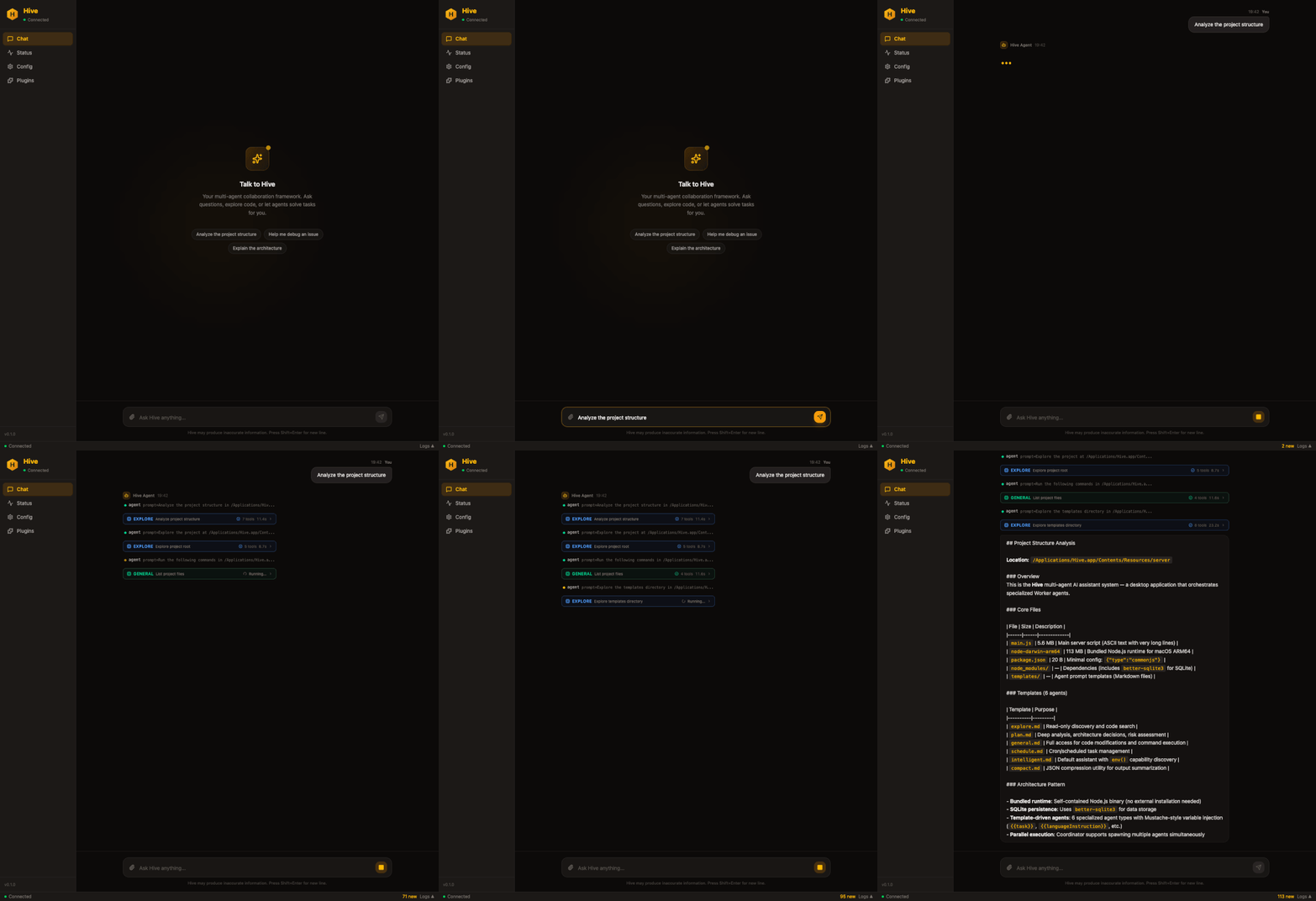
不只是聊天。AI Agent 能操作备忘录、制定日程、发邮件、整理文件、搜索网络——多个 Agent 自动分工,完成复杂任务。
Hive
13 个提供商,一个 SDK
国产大模型一流支持,覆盖所有主流提供商。任何 OpenAI 兼容端点均可接入。
 Claude
 GPT
GPT Gemini
 GLM
GLM DeepSeek
 Qwen
Qwen Kimi
Kimi
 OpenRouter
 Groq
Groq xAI
xAI Mistral
LLLiteLLM
开箱即用
为生产级多 Agent 系统打造。
Coordinator-Worker
仅在需要时启动 Worker。简单查询直接响应,不浪费 token。
13 个 LLM 提供商
GLM、DeepSeek、Qwen、Kimi、ERNIE、Claude、GPT、Gemini 等,运行时切换。
成本控制
按任务指定模型。探索用便宜模型,代码修改用强力模型。
权限分层
只读 explore Agent、全权限 general Agent。架构即安全。
技能系统
Markdown 定义 + YAML frontmatter,兼容 agentskills.io 生态。
内置监控
心跳检测、卡死识别、中断信号。长时间运行的 Agent 不会失联。
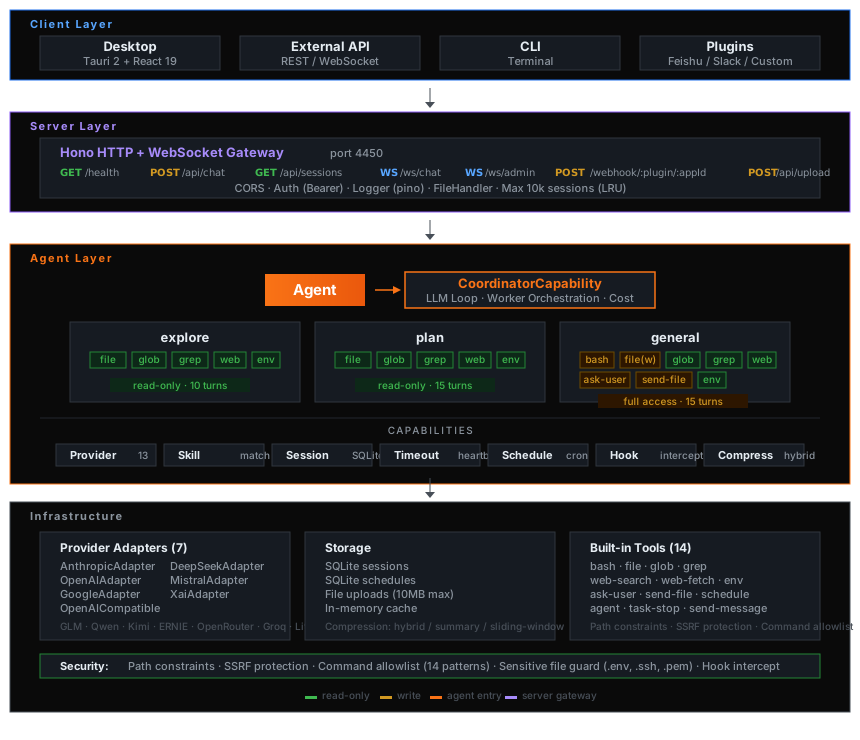
系统架构
四层设计:客户端 → 服务层 → Agent 层 → 基础设施。
开始使用
三步上手,让 AI 帮你干活。
1
下载安装
支持 macOS / Windows / Linux,在上方选择你的系统下载。
2
配置大模型
打开 Hive,选择一个 AI 提供商,填入 API Key 即可。支持智谱、DeepSeek、通义、Kimi、Claude、GPT 等。
3
开始对话
告诉 Hive 你想做什么——它会自动分配多个 Agent 协作完成。